Quasimorph Tools Hub
Plan loadouts and mission prep before you commit another clone
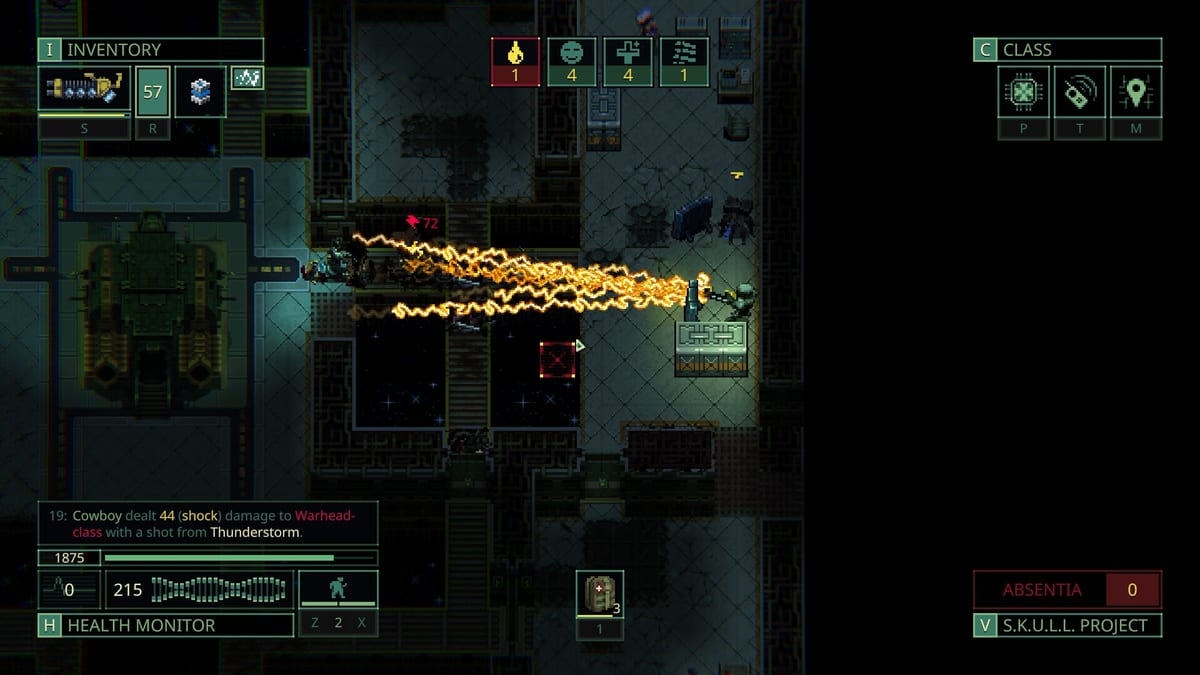
Quasimorph is a turn-based extraction RPG where preparation happens twice: once on the Magnum between missions, and again on the mission prep screen before deployment. Version 1.0 launched on Steam July 31, 2026 with fuller storylines, tighter balance, and horror sectors that punish improvised kits. Tools on this wiki do not replace the in-game armory, but they give you repeatable checklists so preventable gear mistakes stop costing clones.
Most Quasimorph deaths trace back to missing consumables, wrong damage types, or overweight loot discovered too late. Guides teach why those rules exist; tools help you apply them in thirty seconds before every contract.
Featured tool: Loadout Planner
The Loadout Planner is the primary tool page on this hub. It walks through a practical mission prep checklist you can run before accepting any contract:
- Two or more damage types for examined resistances
- Meds, bandages, and at least one stabilize-all medkit
- Food within your operator starvation limit after backpack weight
- Antibiotics or sorbets when infection is possible
- Spare ammo beyond what the mission briefing suggests
- Repair parts or backup weapons when durability matters
- Grenades when Sabotage or choke objectives allow them
- Class and perk fit for the operator you selected
- Planet Quasimorphosis risk assessment
- A written extract plan with AP reserve and anchor door
Use the planner page as a literal pre-flight script until the habits stick. Pair it with the Items Hub for crafting queues and the Class Builds guide when you swap factions.
Featured tool: Map Editor
Version 1.0 ships an in-game Map Editor and Mod Manager for custom Map Packs. The wiki Map Editor Guide documents UID rules (10–21473), folder alignment with Core Map Pack room types, rebuild workflow, and authoring hotkeys before you inject custom tiles into procedural missions.
Featured tool: Mod Manager
Playing with Workshop packs is a different job from authoring them. The Mod Manager Guide covers enable/disable toggles, load order, map pack collision warnings, save backups, achievement-safe setups, and the soft-lock recovery loop (vanilla Mars extract first, then one pack at a time).
Use the Map Editor page when authoring community stations; use the Mod Manager page when installing them; use the Loadout Planner when playtesting those stations so dual damage types and extract AP reserves match combat 1.0 rules.
When to use wiki tools versus guides
Guides explain systems in depth. Tools compress those systems into actionable steps at the moment of decision.
| Situation | Start here |
|---|---|
| First five Mars extracts | Getting Started then Loadout Planner |
| Leaving safe moons | Planner plus Quasimorphosis Survival |
| Story mission with timers | Planner plus Walkthrough Hub |
| Post-wipe kit rebuild | Planner plus Bartering on the Magnum |
| Custom Map Packs and mods | Map Editor Guide, Mod Manager Guide, plus Loadout Planner for playtests |
| Combat fundamentals | Combat Stances and Room Clearing |
If you only bookmark one tool page, make it the Loadout Planner. If you only bookmark one guide hub, use the Guides Hub for the full reading order.
Tool workflow before each contract
- Read the mission card — note planet, faction tech, timer, and objective type.
- Open the Loadout Planner checklist — tick each category against your ship stash.
- Queue crafting on the Magnum — medkits, sorbets, and ammo components before launch.
- Mock weight mentally — overweight kits kill dodge and burn calories on long clears.
- Set extract rules — partial loot threshold, anchor door, minimum AP reserve.
- Deploy — run the same checklist again if you change weapons mid-prep.
This loop takes less time than recovering from a lost clone carrying rare Class Chips.
Related wiki sections
Tools sit between gear knowledge and execution.
- Classes Hub — operators, tier list, and perk tracks that change checklist priorities.
- Controls Reference — inventory shortcuts that make mid-mission consumable use faster.
- World Hub — which stations trigger Quasimorphosis and which stay beginner-safe.
- Quasimorph Review — how 1.0 balance shifts loadout expectations versus Early Access.
- Updates Hub — patch notes that may invalidate ammo or medkit advice overnight.
Who these tools are for
New players use tools to avoid tutorial-to-Mars gear gaps. Returning Early Access veterans use them to adapt kits after July 2026 balance passes. Story runners use them before timed Walkthrough chapters where extract planning matters more than 100% clearance.
Quasimorph rewards clones treated like budgets. These tools exist so your budget survives contact with the station.
Frequently Asked Questions
Quick answers to the most common questions.
What Quasimorph tools does this wiki offer?
The Loadout Planner provides a mission prep checklist; the Map Editor Guide covers authoring Map Packs; the Mod Manager Guide covers Workshop load order, collisions, and safe installs after the 1.0 launch.
Where is the Quasimorph Map Editor guide?
The Map Editor page at /tools/map-editor/ explains opening the editor from the main menu, Map Pack UID range 10–21473, folder structure, and rebuild steps. Use /tools/mod-manager/ for load order and collisions.
Should I use the Loadout Planner on every mission?
Yes until the checklist becomes automatic. Even veteran players benefit before Defence timers, story beats, or first visits to Quasimorphosis-capable stations.
Do wiki tools replace in-game planning screens?
No. They complement the Magnum armory and mission prep UI with cross-page reminders about resistances, crafting, and extract rules from our guides.
Which guides pair best with the tools hub?
Start with Getting Started and Combat Stances, then Quasimorphosis Survival when leaving Mars. Class Builds and Items hubs refine what you pack after the basics stick.
Are tools updated for Quasimorph 1.0?
Yes. Checklists reflect the July 31, 2026 full release, including current medkit behavior, resistance expectations, and five storyline mission types.